


AI Video Generator - ArtReel
4.6145.00 Reviews
App Specs
- Version
- 1.2.6
- Updated On
- License
- Free
- Downloads
- 100,000+
- Developer
- Smart AI DEV
- Categories
- Photography
- Platform
- Android
Screenshots
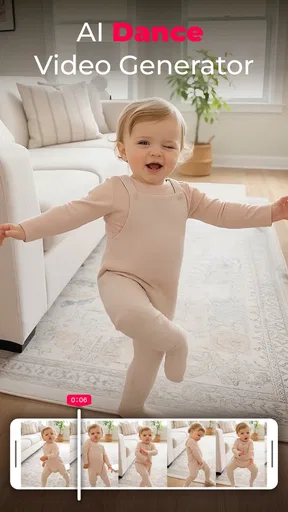
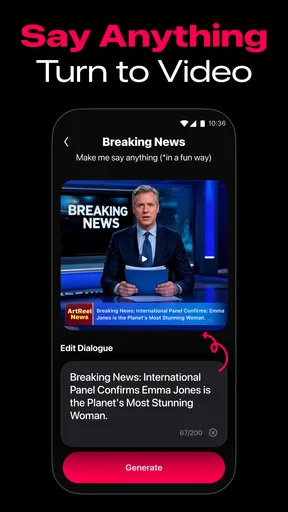
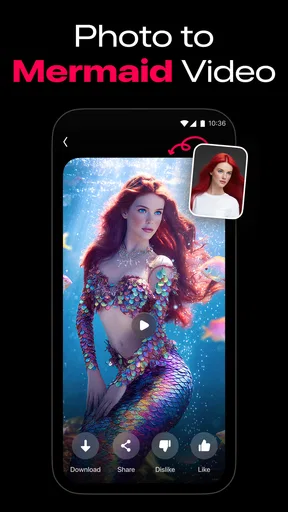
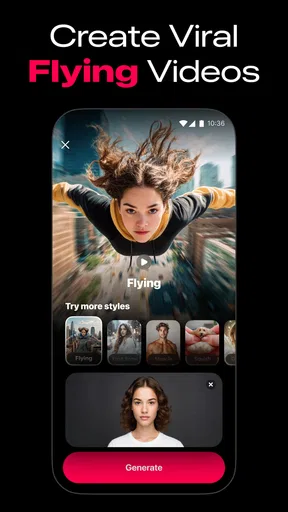
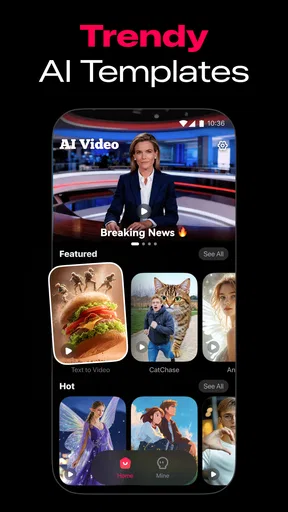
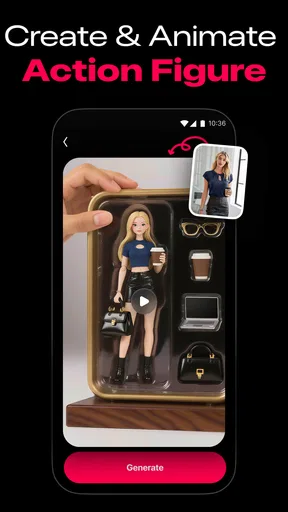
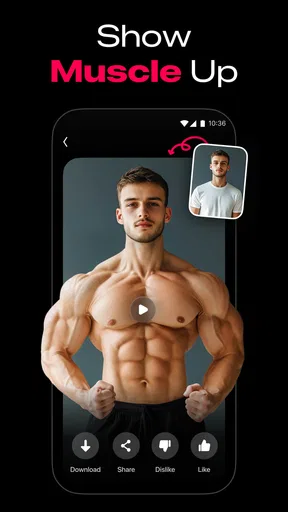
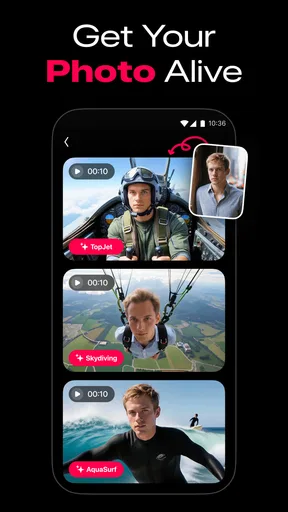
 Analysis by AppCompare
I usually judge a photo-to-video app by the moment it stops feeling effortless: the picture doesn’t suit the effect, the result takes a different direction than I expected, or I need to make a quick correction before sharing. That practical side matters with AI Video Generator - ArtReel. It is a photography app from Smart AI DEV, built around turning still images into moving clips, and its appeal is clearest when you want a visual idea without learning a full editing workflow.
Where a simple idea can get stuck
The basic promise is easy to understand, but an AI-generated result still depends on the image you start with and how clearly you know what you want. A portrait, a product photo, and a busy group shot each give the generator different visual material to work with. If a result feels awkward, I would first reconsider the source image rather than assume that every photo will animate convincingly.
A useful habit is to choose one strong image with a clear subject and a relatively uncluttered background. That gives the transformation less visual competition and makes it easier to judge whether the movement suits the subject. For a family snapshot with several people, for example, a tighter crop may make a more coherent starting point than asking one image to carry too many details.
This is also where expectations can get ahead of the tool. Turning a photo into a video is not the same as filming a scene: a generated clip can add motion and atmosphere, but it cannot recover expressions, angles, or events that were never captured. I see ArtReel as a way to give a still image a new presentation, not as a replacement for recording an important moment in real time.
Setup checks before making a clip
ArtReel is free to download and is rated for Everyone. It requires Android 5.0 or later, so it is worth checking your device’s software before troubleshooting the app itself. The current version is 1.1.7, and the app has reached over 100,000 installs. Its average rating is 4.6 from around 6,300 ratings, which suggests that many people find the basic idea appealing, though ratings alone cannot tell you whether its style will suit your project.
I would also decide what the video is for before starting. A casual clip for a private message can tolerate a more playful or surprising result; a product post, work presentation, or keepsake may need a more restrained look. Having the destination in mind helps you choose an image and evaluate the result against a real purpose instead of endlessly adjusting for an undefined idea.
The app is free, with in-app purchases ranging from $3.99 to $39.99 per item. I would treat that as a reason to explore the free experience first and only consider a purchase once I know which part of my workflow needs it. If you create only one occasional clip, paying may not make sense; if you return to the app for a repeated personal or creative task, you can weigh the cost against how much time it saves you.
Worth Reading Before You Choose

Flipboard Shows What News Apps Must Do Beyond the Feed

Switching to Android Auto Means Rethinking Your Driving Routine

Google Calendar Makes a Crowded Week Easier to Manage

Ludo King Makes the Most of the Minutes Between Plans

Baby Panda World Brings Quick Play to Modern Phones, but Its Game Library Feels Busy

ESPN’s Live Game View Makes Following Close Games Easier
Recovering a workflow without guesswork
If a result is not working, change one thing at a time. Try a different photo or a tighter crop, then compare the outcome before changing several choices together. That makes it easier to learn whether the issue came from the image, the visual direction you chose, or simply a mismatch between your expectation and what a still-photo animation can do.
It also helps to keep an untouched copy of the original image. That gives you a clean fallback if a crop or edit makes the source less useful, and it lets you compare the generated clip with the photo you began with. For a small project, this simple separation can prevent a lot of avoidable rework.
If the app seems slow or behaves unexpectedly, close and reopen it, check that the device has enough free space for ordinary media work, and try again with a less demanding source image. These are general checks rather than a guarantee of a fix, but they can help distinguish a temporary device issue from a creative choice that needs changing. I would avoid repeatedly rebuilding the same clip before making that distinction.
When another tool is the better choice
ArtReel is most appealing when the source is a photo and the goal is a short, eye-catching transformation. It is less suitable when I need precise control over every cut, exact timing to a voice-over, a carefully arranged sequence of many shots, or a dependable record of a real event. A conventional video editor is usually the better option for those jobs because its timeline-based approach is designed around deliberate assembly rather than interpreting a still image.
Compared with a basic slideshow maker, a photo-to-video generator can offer a more animated treatment of an individual image. The trade-off is predictability: a slideshow gives you more direct control over how long each picture appears and how images are ordered, while an AI transformation may involve more interpretation. For a personal montage where timing and sequence matter most, I would start with a slideshow or standard editor; for one image that needs a little more visual life, ArtReel is the more natural experiment.
It is also not the right choice for someone who wants a finished video to be factually exact or untouched. If a clip will represent a real product, place, or person, I would inspect the result closely before publishing it. Generated motion is a creative treatment, so the source image should remain the authority whenever accuracy matters.
A realistic everyday use
Imagine I have a good photo from a friend’s birthday but no video from the moment. I could use ArtReel to make a short moving version for a private group chat, choosing a clear image rather than a crowded one and checking that the animation still feels like the people in the photo. I would keep the original, preview the finished clip, and share it only if the result adds warmth rather than distracting from the memory.
The same workflow can suit a small creator preparing a visual post from a single product photo, or a local group looking for a livelier way to present an image. In both cases, the practical advantage is speed of experimentation; the limitation is that the app cannot replace a proper shoot when the content needs several angles, accurate demonstrations, or fine-grained editing.
Before sharing, I would consider the audience and context. A playful treatment that works among friends might feel out of place in a business update. Keeping the clip short in purpose—not necessarily in duration, which I cannot assume—means deciding on one message and checking that the movement supports it rather than competing with it.
A Quick Dive Into ArtReel
So, what exactly is AI Video Generator - ArtReel? In simple terms, it’s an app that transforms your creative ideas into professional-grade videos using AI technology. Sounds fancy, right? But don’t worry, you don’t need to be a tech wizard to use it. The app is designed to be super intuitive, making it accessible to everyone from beginners to seasoned video creators.
Getting Started
Once you download and open the app, you’re greeted with a clean and user-friendly interface. The layout is straightforward, allowing you to jump right into the action. Creating a video is as easy as selecting a template, adding your content, and letting the AI do its magic. It’s like having a personal video editor in your pocket!
Features That Stand Out
Now, let’s talk about what makes ArtReel shine. The app offers a variety of templates that cater to different styles and themes, from corporate presentations to fun, quirky snippets. But the real star of the show is the AI technology. It analyzes your input to suggest edits, transitions, and even music that best fits your video’s mood.
Customization is another big win here. You have the flexibility to tweak almost every aspect of your video. Want a different background or a specific color palette? No problem! The app gives you the tools to make your video truly yours.
Performance and Ease of Use
One of the things I appreciate about ArtReel is its performance. The app runs smoothly without any noticeable lags or crashes, which is crucial when you’re in the middle of creating something awesome. Plus, the export times are pretty quick, so you won’t be left waiting around forever to share your masterpiece with the world.
The learning curve is virtually non-existent. Whether you’re creating a video for the first time or you’ve done it a hundred times before, the app guides you through the process effortlessly. And if you ever get stuck, there’s a helpful support section to get you back on track.
Integrations and Sharing
ArtReel makes it easy to share your videos across multiple platforms. Whether you’re looking to wow your friends on social media or impress clients with a presentation, the app has got you covered. You can export your videos in various formats and resolutions, ensuring compatibility with whatever platform you choose.
Moreover, the app integrates seamlessly with other tools and services, which is a huge plus if you’re using external resources like stock footage or music libraries.
Final Thoughts
In a nutshell, AI Video Generator - ArtReel is a fantastic tool for anyone looking to create high-quality videos without the hassle. Its user-friendly design, powerful AI features, and wide range of customization options make it a standout choice in the crowded world of video editing apps.
Whether you’re a budding content creator, a business professional, or just someone who loves making videos for fun, ArtReel is definitely worth checking out. It’s like having a creative sidekick that’s always ready to help you bring your ideas to life.
So, go ahead and give it a try. Who knows? You might just create your next masterpiece with it!
My practical verdict
My recommendation is to try ArtReel when you already have a photo you like and want to explore a more animated presentation without committing to a full editing project. It is particularly suited to casual creators, social posts, and personal images where a little visual interpretation is welcome. The Everyone age rating makes it broadly accessible, but adults should still use ordinary judgment when sharing images of other people.
I would skip it if your priority is precise, repeatable editing or if the output must preserve every detail exactly. In those cases, a standard editor—or simply keeping the original photo—offers more control and fewer surprises. For an occasional creative experiment, though, ArtReel has a clear purpose: it gives a still image another way to be seen. My best advice is to start with one strong photo, keep expectations realistic, and decide whether the result genuinely improves the way you want to share it.
Pros
- Intuitive interface for easy video creation.
- High-quality AI-generated visuals.
- Wide variety of templates available.
- Fast rendering times for quick outputs.
- Seamless integration with social media.
Cons
- Limited customization options for advanced users.
- Occasional glitches in video processing.
- Subscription required for premium features.
- Requires internet connection for full functionality.
- Large file size may strain device storage.
FAQs for AI Video Generator - ArtReel
What is AI Video Generator - ArtReel, and how does it work?
AI Video Generator - ArtReel is a cutting-edge application designed to transform your photos and videos into stunning, AI-enhanced animations. Utilizing advanced artificial intelligence algorithms, ArtReel analyzes your media files and applies creative effects, transitions, and enhancements, turning them into professional-quality video content. This app is ideal for content creators looking to elevate their visual storytelling.
Is AI Video Generator - ArtReel user-friendly for beginners?
Yes, AI Video Generator - ArtReel is designed with an intuitive interface that caters to both beginners and experienced users. The application offers guided tutorials and easy-to-follow prompts to help users navigate through its features. With a straightforward drag-and-drop functionality, even those without prior video editing experience can produce impressive results.
What are the main features of AI Video Generator - ArtReel?
ArtReel boasts a variety of features, including AI-driven video editing, customizable templates, and a library of effects and transitions. Users can also access tools like voiceovers, background music integration, and text overlays. The app supports high-resolution output, ensuring your creations look professional and polished, suitable for both social media and professional use.
Are there any subscription costs or in-app purchases associated with AI Video Generator - ArtReel?
AI Video Generator - ArtReel operates on a freemium model. While the app offers a range of free features, users can access premium features and remove watermarks by subscribing to a monthly or yearly plan. In-app purchases may also include additional effects, templates, and music options to enhance your creations.
Is AI Video Generator - ArtReel available on both Android and iOS platforms?
Yes, AI Video Generator - ArtReel is available for download on both Android and iOS devices. Users can find the app on the Google Play Store and the Apple App Store. The app is optimized for various devices, ensuring a smooth user experience across different smartphones and tablets.


